SharkLink, Canvas, SharkMail and NSU's other student systems
Everything an NSU nursing student does online starts in SharkLink 2.0, NSU's portal, using the NSU identity created when you are accepted. Courses live in Canvas, official email is SharkMail, and registration and records run through Self-Service Banner and Degree Works. Clinical placement details sit in your Canvas course and the graduate clinical guide rather than in any public system.
Get your placement plan
Tell us your NSU program and your home ZIP area. A placement advisor replies with preceptor and site options near you that fit your NSU course.
SharkLink 2.0 and your NSU identity
SharkLink is NSU's portal: one NSU identity opens many of the university's online applications for students, alumni, faculty and staff. The current version, SharkLink 2.0, is at sharklinkportal.nova.edu. Your SharkLink ID, which NSU also calls “My NSU Identity,” is “created automatically upon acceptance at NSU.”
Once you are signed in, SharkLink shows your student email, grades, Canvas Courses, financial aid award, class schedule, “Personalized Banner-related information” and college-specific information. The dashboard is built from “capsules,” such as Course Registration and Degree Works, and most tasks begin by opening one.
SharkLink is also where holds appear, and NSU tells students to check them there. The hold nursing students meet most is the bursar hold, placed “on the 30th day of the semester if a balance is still due,” which blocks future registration. A hold that stops you registering for a clinical course can delay the start of your hours, so clear it early.
Canvas: your courses, including your clinical course
NSU's learning management system is Canvas, at nsu.instructure.com, linked from ACON's student resources page and from the Canvas Courses capsule in SharkLink. NSU's help page also mentions “SharkLearn,” which appears to be an older label; the courses themselves are in Canvas.
Canvas is where the week-to-week rules live: participation in discussions and activities “as directed by the course for each course week,” assignments, and video submissions, which the handbook says may go through Kaltura (NSU's instance is branded SharkMedia). When a class meets on Zoom, the handbook expects your camera on, showing you live, with no virtual backdrop.
For APRN students, your clinical course in Canvas is one of two places the practical clinical rules are written down. The other is the graduate clinical guide, which the handbook requires you to follow and which NSU shares with enrolled students rather than posting publicly. The graduate clinical guide page covers what to look up first.
SharkMail and the university-email rule
Student email is NSU SharkMail, at sharkmail.nova.edu. Student addresses are your username followed by @mynsu.nova.edu, while faculty and staff addresses end in @nova.edu, which helps you tell genuine NSU messages apart.
The handbook makes SharkMail mandatory: “University-assigned email addresses must be used for all email communications between students, administration, and faculty and staff members concerning university-related business.” That covers every message to your clinical coordinator about a preceptor, every update to your program director and every appeal. The same page bars forwarding protected health information to non-NSU email, which is “strictly prohibited,” so anything from a clinical site stays inside your NSU account.
Students also get Microsoft 365, and ACON's computer requirements call for Microsoft Office 2021 or a Microsoft 365 subscription with PowerPoint, Word and Excel, or a compatible office suite.
Registration and records: the SEA, Self-Service Banner and Degree Works
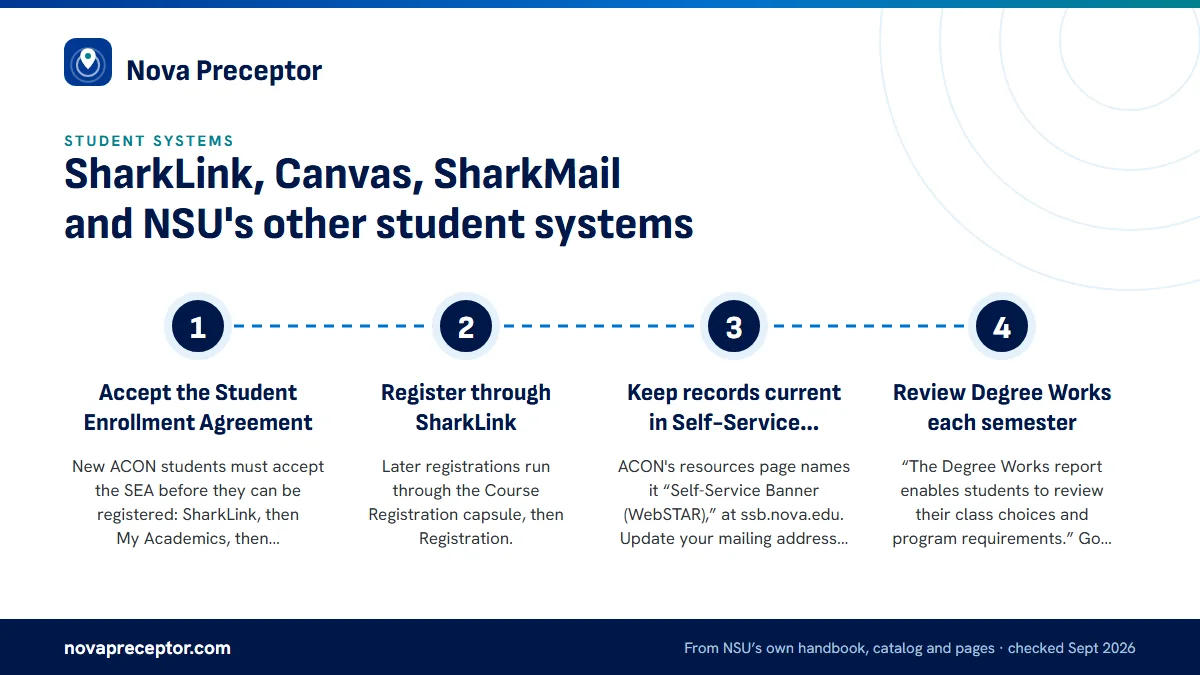
- Accept the Student Enrollment AgreementNew ACON students must accept the SEA before they can be registered: SharkLink, then My Academics, then Registration - Add/Drop/SEA. ACON's instruction is emphatic: “DO NOT PROCEED ANY FURTHER AFTER ACCEPTING THE SEA FORM.” Your adviser completes registration at orientation, and NSU's help page lists the SEA as a once-a-year step.
- Register through SharkLinkLater registrations run through the Course Registration capsule, then Registration.
- Keep records current in Self-Service BannerACON's resources page names it “Self-Service Banner (WebSTAR),” at ssb.nova.edu. Update your mailing address there and manage release-of-information consent through nova.edu/roi.
- Review Degree Works each semester“The Degree Works report enables students to review their class choices and program requirements.” Go through it with your adviser every semester and again before graduation.
Course descriptions for nursing courses, including clinical courses such as NSG 5549 and NSG 5599, are published at coursewizard.nova.edu, which each program page links to.
SharkCard: your NSU ID on campus and at clinicals
The SharkCard is “the official Nova Southeastern University identification card.” It opens libraries, buildings and parking, pays for printing and meal plans, and carries SharkCash, which you load through the GET portal.
For nursing students the card matters most at the clinical site, because ACON expects NSU identification to be visible every day you attend, as part of the clinical uniform. Badges come from the One-Stop Shop, and students on regional campuses can request theirs online, so leave time for it before your first clinical day. The dress code page has the exact badge rule and everything else you wear on site.
Card access also covers NSU's libraries, including the Alvin Sherman Library, Research, and Information Technology Center and the health professions library NSU calls the Martin and Gail Press Library. For clinical questions, the nursing research guide at libguides.nova.edu/nursing points to CINAHL Complete, ClinicalKey Nursing, MEDLINE and APA PsycInfo.
Help desk and the technology rules
- SharkIT Services and the NSU Help Desk (nova.edu/help), run by the Office of Innovation and Information Technology, are NSU's “centralized point of contact for technical support services,” including resets of your SharkLink sign-in and SharkMail access. Weekday hours are listed on the help page.
- Respondus LockDown Browser is NSU's confirmed assessment tool for Canvas. NSU documents ExamSoft for its osteopathic, dental and law colleges, not for nursing.
- Webcam: “All students must have a webcam with at least 1080p resolution for online activities such as virtual classes or online testing.”
- Exams: “absolutely no audio or videotaping is authorized during exam reviews and exams.”
- Networks: the campus Wi-Fi network is 1NSU, and NSU offers SharkVPN.
One caution for web searches: results about proctoring for “NOVA Online” belong to Northern Virginia Community College, a different school.
Where your clinical information lives
No single NSU system holds everything about a clinical course. Here is where each piece sits, according to NSU's public documents:
| What you need | Where NSU keeps it |
|---|---|
| The placement rule and clinical attendance rules | Nursing Student Handbook 2025-2026, “Graduate A.P.R.N. Students” (flipbook page 131) |
| Day-to-day clinical procedures | The graduate clinical guide, shared by the program (not public) |
| Course requirements and weekly expectations | Your clinical course in Canvas |
| Immunizations, physical exam and background check | DISA CastleBranch, monitored by ACON Student Affairs |
| Preceptor and site approval | Your clinical coordinator, by SharkMail |
| Remaining courses and requirements | Degree Works, reviewed with your adviser |
| Clinical hour logging | Not named in NSU's public documents; ask your clinical coordinator |
When you name a preceptor, the message goes from your SharkMail to your clinical coordinator. NSU students choose us to make that message complete: we find a preceptor near home in the right setting and prepare the preceptor's license, credentials and site details for you to send, early enough for NSU's two-semester notice. Approval rests with the coordinator; your message simply arrives with nothing missing. Read how it works or the CastleBranch guide.
Questions NSU students ask
What is my NSU student email address?
Your username followed by @mynsu.nova.edu. NSU calls the service SharkMail (sharkmail.nova.edu), and faculty and staff use @nova.edu addresses. The handbook requires your university address for all university business, including messages to your clinical coordinator and your program director. Check it daily as a clinical course approaches, since placement questions arrive there.
Who do I contact if my SharkLink sign-in stops working?
SharkIT Services, also called the NSU Help Desk, at nova.edu/help. It is NSU's central point of contact for technical support and handles resets for SharkLink, SharkMail and other NSU accounts. Your SharkLink ID is your NSU identity, created automatically when you were accepted, so you do not need to request a new one.
Which system does NSU use to log clinical hours?
NSU's public documents do not name one. DISA CastleBranch is the one nursing compliance vendor NSU names in public, and it covers immunizations, physical exams and background checks rather than hours. For hour records, ask your clinical coordinator and check your Canvas clinical course and the graduate clinical guide.
Why can't I register for my next NSU nursing course?
Two common causes are a hold and the SEA. Holds, including the bursar hold placed on the 30th day of a semester when a balance is due, appear in SharkLink and block registration. New students must also accept the Student Enrollment Agreement before an adviser can register them. If neither applies, ask your adviser.
What is Self-Service Banner, or WebSTAR, at NSU?
It is NSU's self-service records system at ssb.nova.edu, which ACON lists as “Self-Service Banner (WebSTAR).” Students use it to update their mailing address and to manage release-of-information consent. Registration itself starts from the Course Registration capsule in SharkLink, and program progress is tracked in Degree Works.
Related pages
Last checked 2026-09-24
We check these pages against NSU's own handbook, catalog and program pages. The graduate clinical guide, your course in Canvas, your clinical coordinator and your program director have the final word.
NSU lets you name your own preceptor. We make sure you have one, close to home and in time.
Tell us your NSU program, your home ZIP area and when your next clinical course starts. We find preceptors who fit the course and have everything ready for your clinical coordinator well before the two-semester notice.
- Preceptors matched to the course: primary care for FNP, acute care for AGACNP, psychiatric care for PMHNP, a practice site for DNP project hours
- Named early enough for NSU's two-semester notice, with license, credentials and site details ready for the coordinator
- Close to your home ZIP code, with clinic days we plan around your work schedule
Start your placement plan
Program, ZIP area and start term is all we need to begin.